Google Docs can catch misspellings and common grammar problems without requiring another app or subscription. Its built-in checker is convenient for anyone already drafting reports, proposals, or other documents in Google Workspace.
Convenience does not always equal comprehensive editing, however. Dedicated writing assistants such as Grammarly, Sapling, Ginger, Scribens, and LanguageTool may provide broader feedback on sentence structure, tone, clarity, punctuation, and style. Some also offer browser extensions, mobile apps, team controls, and paid features intended for professional writing.
This comparison examines what Google Docs offers, how its suggestions compare with several alternatives, and whether a standalone grammar checker is worth adding to your workflow.
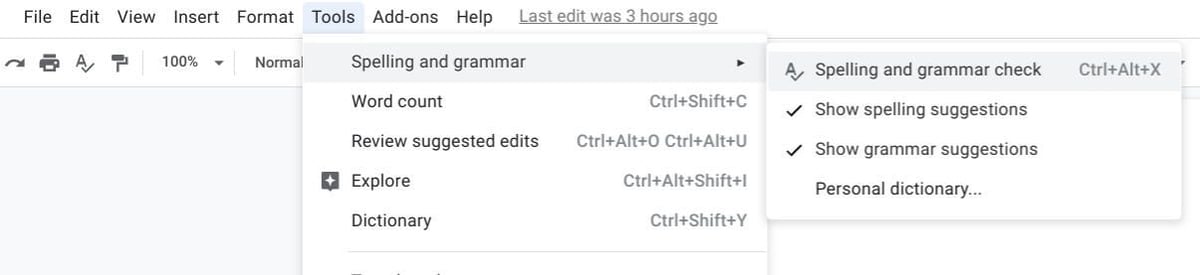
Google Docs marks possible spelling errors with a red underline and potential grammar issues with a blue underline. To review these suggestions in a browser, go to Tools | Spelling and grammar and make sure Show spelling suggestions and Show grammar suggestions are enabled. You can then select Tools | Spelling and grammar | Spelling and grammar check to review each suggestion individually (Figure A).
Figure A
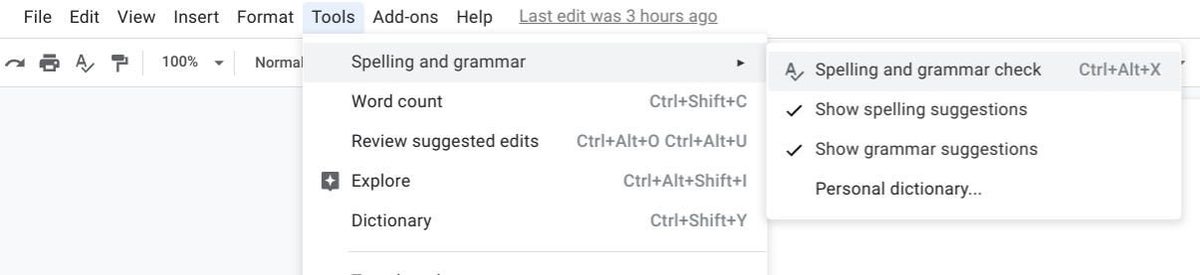
Once spelling and grammar check options have been enabled for a document, the system will display the red or blue line indicators within a Google Doc in a desktop/laptop Chrome browser or Google Docs mobile apps for Android or iOS.
Google has offered spelling suggestions in Google Docs for several years. When a word in your document doesn’t correspond with any dictionary word, it may be flagged. You may add words to your own personal dictionary to prevent the system from marking a word as a problem; to do so, go to Tools | Spelling And Grammar | Personal Dictionary. You can add a company name, a product code, or other specialized language to your personal dictionary.
To compare Google Docs with dedicated grammar checkers, we used the same sample from the original version of this article. The six short sentences contain seven intentional errors involving spelling, subject-verb agreement, word choice, nonstandard wording, and missing punctuation.
The Chromebook are turned on.
Google Docs now checks speling and grammar.
This document contain errors.
It should get gooder
My tests indicate that the system does not yet perform as well as I would like it too work.
Grammar checking be difficult.
Figure B
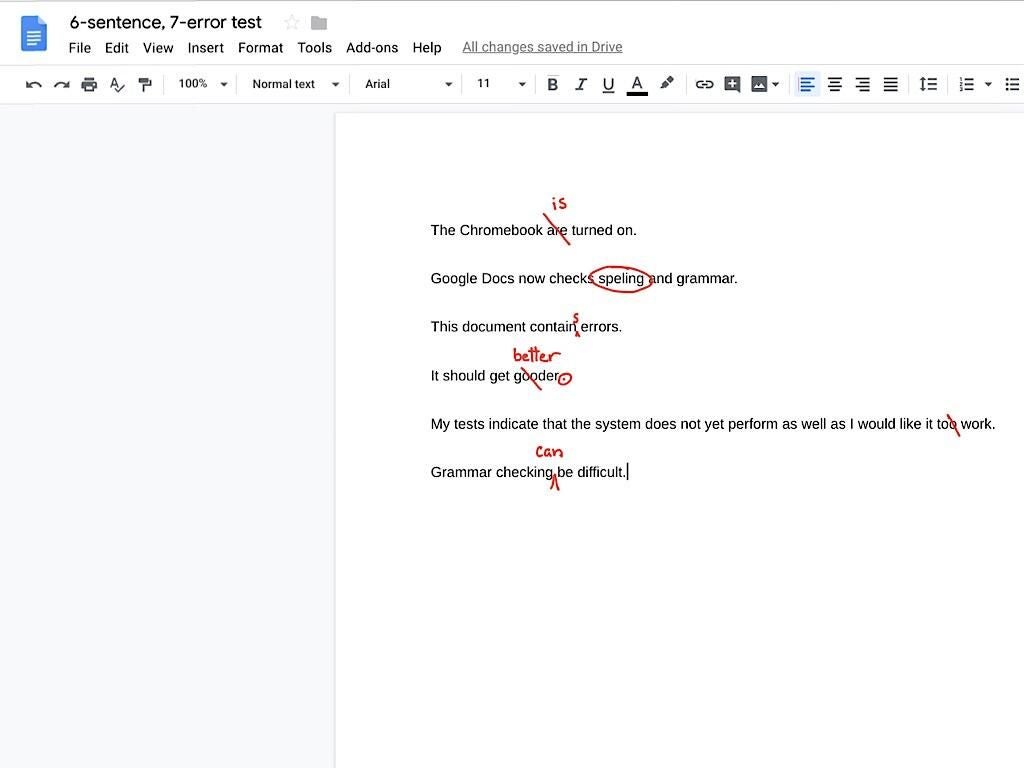
The sample is intentionally simple so the results are easy to compare. It does not test every type of error a writer might encounter in a longer report, contract, or other business document.
We tested the text in Google Docs and each alternative using the version available at the time of this update. The comparison considers how many planted errors each tool identified, whether it incorrectly flagged acceptable text, and what additional feedback it provided beyond basic spelling and grammar corrections.
I tested the sample text using several grammar-checking systems to compare their performance with Google Docs. Here are the results:
Google Docs grammar check
In the updated test, Google Docs identified five of the seven intentional errors. It caught the spelling, subject-verb agreement, word-choice, and verb-form problems, but it did not flag the sentence “It should get gooder” or the missing punctuation after it.
Google Docs reviews spelling and grammar suggestions one at a time in a side panel. Users can accept or ignore each correction, while highlighted text shows the issue currently under review.
Figure C

Grammarly
In the updated test, Grammarly’s free version identified six of the seven intentional errors. It flagged the spelling, subject-verb agreement, word choice, and verb-form problems, but it did not catch the missing punctuation after the sentence “It should get gooder.”
Grammarly also assigned the sample a writing quality score of 62 and displayed six grammar suggestions. The free version provided the corrections needed for this test, although advanced rewriting and style features are available only on paid plans.
Figure D

For this test, I used the paid version of Grammarly, which costs about $144 per year. The service offers a Chrome extension, a web-based app, and a keyboard app for Android and iOS devices.
Sapling
In the updated test, Sapling’s free grammar checker identified six of the seven intentional errors. It flagged the spelling, subject-verb agreement, word choice, and verb-form problems, but it did not catch the missing punctuation after “It should get gooder.”
Sapling displayed an error count of six and underlined each detected problem directly in the editor. Its free online checker also provides spelling, grammar, and stylistic suggestions without requiring users to install an extension.
Figure E

Sapling offers a free plan with basic writing suggestions, along with integrations for Chrome, Google Docs, Microsoft Word, and Outlook. Sapling Pro costs $25 per month, or $12 per month when billed annually, and adds advanced suggestions, rephrasing, autocomplete, and broader integration support.
Ginger
In the updated test, Ginger’s free grammar checker identified six of the seven intentional errors. It automatically corrected five problems involving spelling, subject-verb agreement, word choice, and verb form, while marking “gooder” for review. Ginger did not catch the missing punctuation after “It should get gooder.”
The free online checker also includes paraphrasing and translation tools. Ginger offers browser, desktop, and mobile apps, while some features and higher usage limits require a Premium subscription.
Figure F

Scribens
In the updated test, Scribens’ free grammar checker identified six of the seven intentional errors. It flagged the spelling, subject-verb agreement, word choice, and verb-form problems, but it did not catch the missing punctuation after “It should get gooder.”
Scribens highlights each detected issue directly in the editor and provides an explanation for some corrections. In the test, for example, it explained why “too” should be changed to “to” in the phrase “to work.”
Figure G

Scribens offers a free online grammar checker for pasted text. Its extensions also let users check writing directly in Google Docs, Google Sheets, Microsoft Office apps, and supported browsers.
In the updated test, LanguageTool’s free grammar checker identified five of the seven intentional errors. It caught the spelling, subject-verb agreement, word-choice, and verb-form problems, but it did not flag “gooder” or the missing punctuation after that sentence.
LanguageTool displays its corrections in a side panel and briefly explains each issue, such as maintaining subject-verb agreement or choosing the correct word. Its free online checker also includes limited paraphrasing, while browser extensions and paid plans provide additional features.
Figure H

LanguageTool offers a free online checker and browser extensions for Chrome, Edge, Firefox, Safari, and other supported platforms. The free plan covers basic spelling, grammar, punctuation, and style checks, while Premium adds more advanced corrections, higher character limits, unlimited paraphrasing, and additional writing tools
Bottom line
Grammarly, Sapling, Ginger, and Scribens performed best in this limited test, with each free checker identifying six of the seven intentional errors. Google Docs and LanguageTool each identified five. None caught the missing punctuation after “It should get gooder.”
Google Docs remains the most convenient choice for basic corrections inside the editor, while dedicated tools provide broader features such as explanations, rewriting, tone guidance, paraphrasing, and support across multiple apps. The best option depends on whether convenience or more advanced writing assistance matters most.